On this show, we look at the latest desktop collaboration updates and experiences for Office on Windows. Daniel Escapa from Office engineering joins Jeremy to walk through all the latest connected services to help collaborate, find your files quickly and even revert to previous versions. They’ll demonstrate updates to real-time collaboration in Word and PowerPoint as well as new built-in chat capabilities, visibility into activity on your files “while you were away” and improved access to your content from recent folders, files shared with you or stored within sites and groups, and recent files list.
Auteur: Marcel
Microsoft Teams in Office 365 for Education: All Teams Welcome
https://www.youtube.com/watch?v=3ZPN435Mppw
Today’s classrooms stretch far beyond the time a teacher and a student sit in a room together. With the new classroom experiences in Teams, we’ve created a digital hub for the connected and collaborative classrooms of the future. All teams welcome.
Microsoft introduced a set of educational products and services, inspired by teachers and students, including a new Windows experience called Windows 10 S; new experiences in Microsoft Teams for modern classroom collaboration; new features in Minecraft and mixed reality to spark creativity; a range of Windows 10 S PCs for K-12 classrooms; and the perfect Windows 10 S device for college students—Surface Laptop
Read more at: https://news.microsoft.com/microsoft-event-may-2017/
Office 365 Update for May 2017
Jim Naroski covers recent enhancements to Office 365, Microsoft’s cloud-based productivity solution for the modern workplace. The course transcript, complete with all links mentioned, is available at http://aka.ms/o365update-transcripts.
Here are the topics covered in the May Update:
Viewer Feedback [0:19]
Microsoft To-Do [1:07]
Sway Updates [2:22]
New Power BI Visuals [3:26]
Groups in Outlook [4:14]
Office 365 Groups [5:48]
Frontline Workers [6:57]
Secure Score Overview [8:14]
Reporting APIs [8:51]
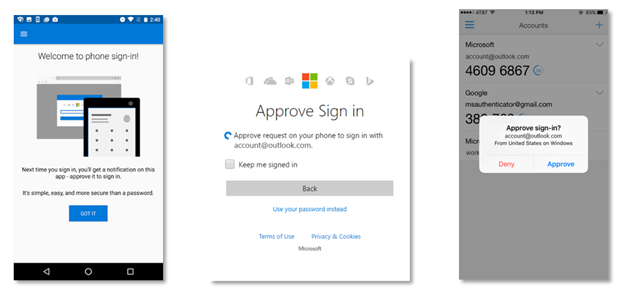
No password, phone sign in for Microsoft accounts!
https://blogs.technet.microsoft.com/enterprisemobility/2017/04/18/no-password-phone-sign-in-for-microsoft-accounts/
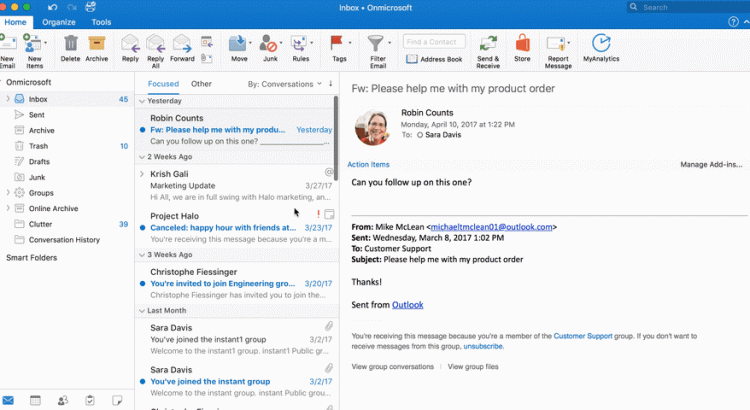
Introducing Groups in Outlook for Mac, iOS and Android
https://blogs.office.com/2017/04/18/introducing-groups-in-outlook-for-mac-ios-and-android/
With these updates, you can:
- View your group list.
- Read and reply to group conversations.
- Add group events to your personal calendar.
- View unread messages sent to the group.
- View group details within the group card (Outlook for iOS and Android only).
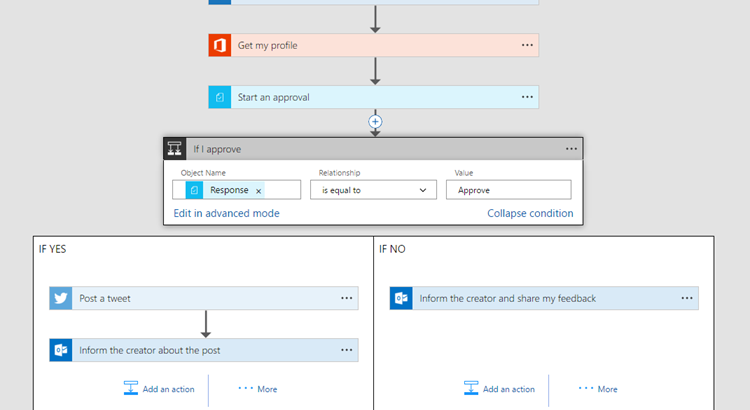
Introducing Modern Approvals in Flow
https://flow.microsoft.com/en-us/blog/introducing-modern-approvals/
https://youtu.be/uVdBNSq-7f4?list=PL8nfc9haGeb55I9wL9QnWyHp3ctU2_ThF

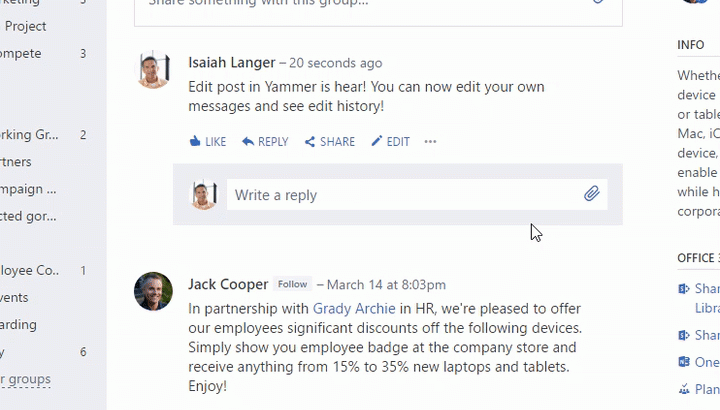
Yammer: Edit Post is Here!
https://techcommunity.microsoft.com/t5/Yammer-Blog/Edit-Post-is-Here/ba-p/61461
We are pleased to announce the launch of Edit post, one of our most frequently requested features! Starting today, Yammer users will be able to make changes to the text in a post or in an announcement after it has been published. After a post has been edited there will be a tag indicating that it has been edited, and users will be able to see the version history by clicking on that tag.
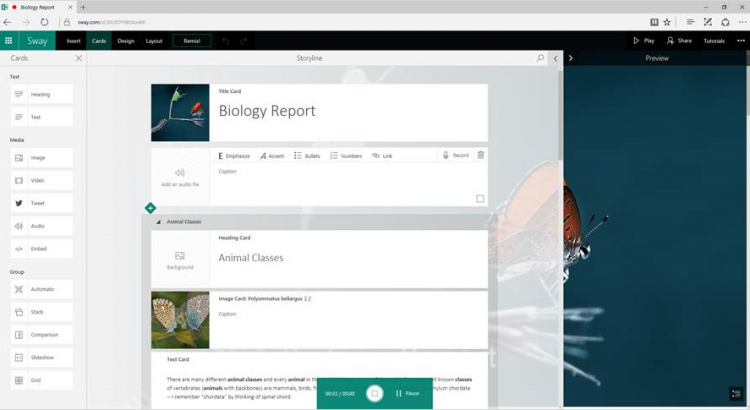
New to Sway—recording, closed caption, navigation, autoplay and view counts
Over the last few months, we’ve been on the ground asking users what features they would like to see in the Sway app. We heard all the ways you use Sway in your personal, school and work lives, and listened to tons of great recommendations on how we could make these experiences even better. As a result of this partnership, we’re proud to announce another round of updates from the Sway team.
Audio recording
The ability to add audio to Sways was the top request from educators—as students and teachers (among others)—love to express their ideas and thoughts in this natural and intuitive way. Now, you can add audio recordings to make your Sway more interactive and engaging.

Please note that not all web browsers support recording. If you see the message, “This browser doesn’t support audio recording in the Sway web app,” open Sway in another browser where recording is supported, such as Edge (on Windows) or Chrome (on a Mac or Chromebook). For more information, please see “Record audio in Sway.”
Closed caption
With the Microsoft mission to empower every person and every organization on the planet to achieve more, we continue to add features to improve accessibility. We are excited to announce that authors can now associate closed caption files with their audio recordings or audio files added from their local drive or OneDrive/OneDrive for Business. Office 365 authors can also associate closed caption files with any video files uploaded from their local drive or from OneDrive for Business.
First, add a new video or audio card to your Sway—by either uploading the content, recording it or adding the content from your OneDrive/OneDrive for Business account—and then expand the card using the Details button. Next, click the Add closed caption button at the bottom of the expanded card and select your closed caption file (.vtt format) and the language it is in.

When viewing a Sway that has a video with closed captions available, it is easy to simply select the option to turn closed captions on and the language of the closed caption they’d like to see.
Navigation view
Sways are now easier to navigate. Jump back and forth between sections or get a glimpse of the Sway content—all from the new Navigation view.
 When you click or tap the Navigation icon (in the bottom-right corner), the Sway fades into the background and the Navigation view appears. Your Sway title, section headers, images and text collectively form an engaging and informative navigation view.
Here’s an example of the Navigation view in the Universe Sway:

Click or tap each section tile to jump to that section, or scroll to see more sections if your Sway is longer.
Autoplay
You told us you wanted to automatically play and continuously loop a Sway for unattended cases such as billboards.
 We’re happy to announce that, if you have an Office 365 subscription, you can now set your Sway to play automatically! If you are the author of the Sway, use the … menu on the top right to go to Settings and turn autoplay on. Additionally, you can autoplay any Sway you are viewing by clicking the Settings gear at the top right-hand corner of the Sway. In the Autoplay settings box, set the delay and then press Start. The Sway will now play automatically.
Once the Sway is playing, you can change the delay, pause or stop playback using the controls on the bottom-right corner.
View count
We also heard from our users that they want to know how engaged their audience is with their Sways. Now, authors can see how many people have viewed their Sway. We officially started the view count on March 13, 2017, so if you see “No data,” this means that the Sway has not had any viewers since that date.

We hope you enjoy using the newest features in Sway, and as always, we look forward to your suggestions, feedback and comments on our UserVoice page.
—The Sway team
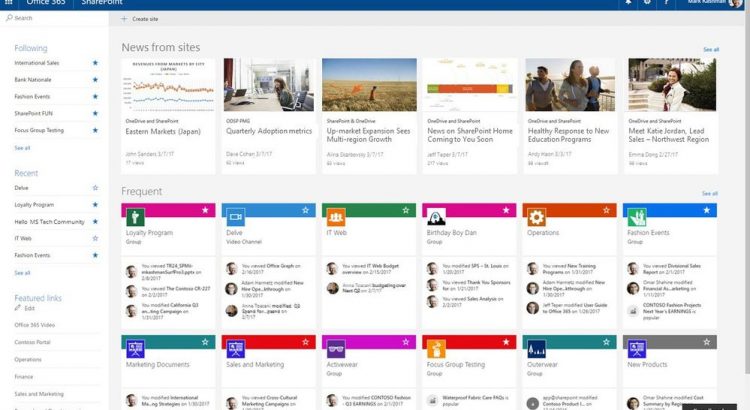
News on SharePoint home in Office 365
Improve the consumption of your news. Microsoft enables a personalized view of all team news published to users right on their SharePoint home in Office 365 (click the SharePoint tile within the Office 365 app launcher). News is easy to read from across the sites they are active in, sites they follow, as well as other news suggested by the intelligence of Microsoft Graph.
At the top of SharePoint home, you will now see News from sites. It’s easy to see what the news is, where it’s coming from, how it’s trending – and you’re one-click away from reading the article in it full fidelity, no matter what operating system or browser you are using. And to see all your news, simply click See all to go to the dedicated, personalized news rollup page.
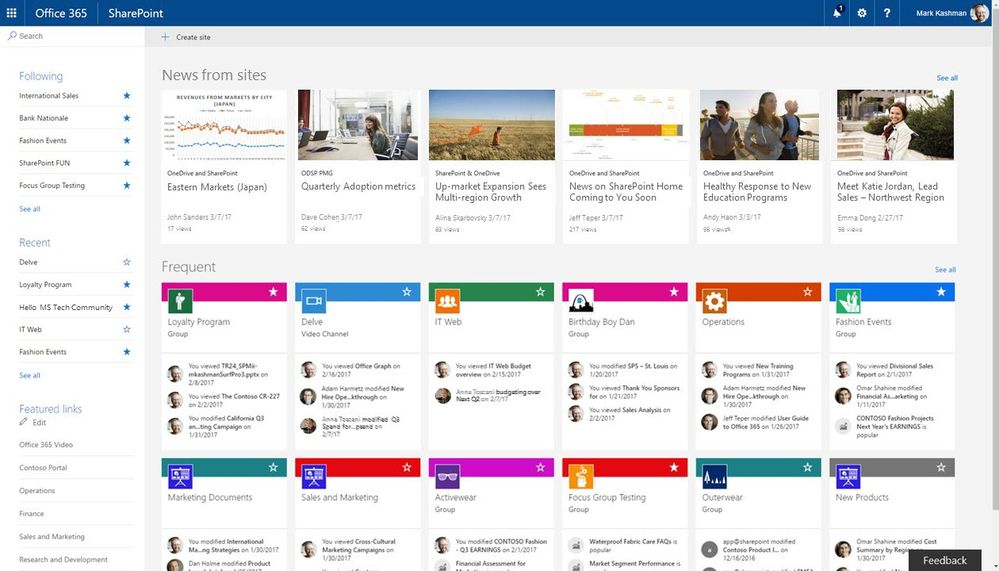
News from sites now appears at the top of SharePoint home in Office 365
With the addition of team news, SharePoint home evolves into an intuitive, single location to see what’s happening in all your sites and portals, perform enterprise-wide search, create new sites — and now read all the news around you.
Learn more about how to find news, sites and portals in Office 365.