Categorie: Training
Microsoft 365 Business: Step-by-step guide for enabling services and first run experience
Gabe Long, Senior Product Manager for Office 365, offers a demo-rich overview of the new Microsoft 365 Business which gives small business owners a single solution comprising the productivity and collaboration capabilities of Office; plus built-in data protection and an easy way to manage users, devices and data, all within a single admin console.
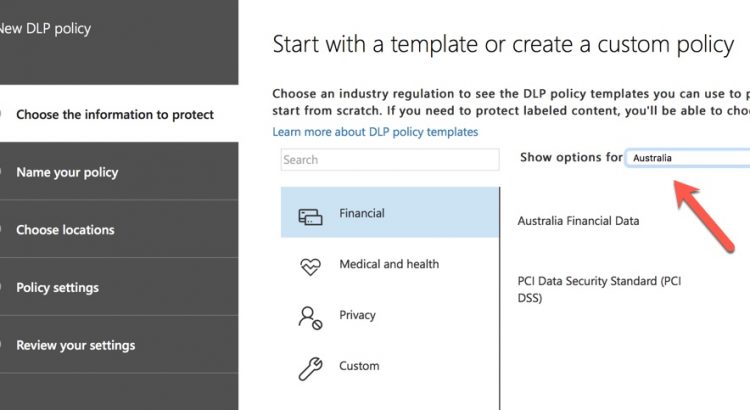
Getting Comfortable with Data Loss Prevention Policies in Office 365
https://practical365.com/compliance/getting-comfortable-data-loss-prevention-policies-office-365/
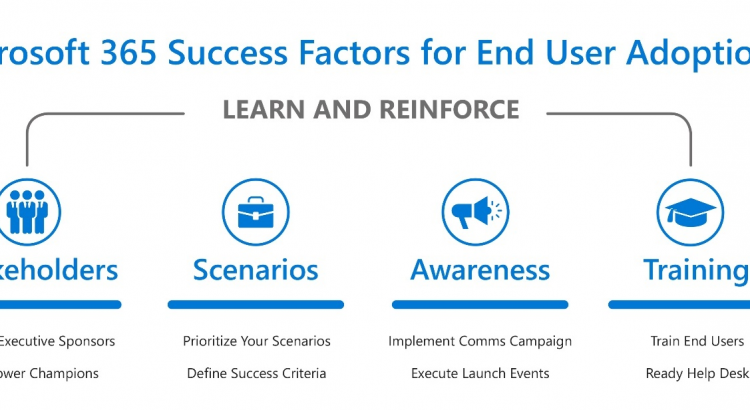
Four Success Factors for Driving Microsoft 365 Adoption
..Welcome to our blog series about the four success factors for driving Microsoft 365 adoption. In this series I will share insights from our most successful customers, Microsoft and 3rd party research, and proven best practices, about how to be successful with Microsoft 365.
Part 1: Four Success Factors for Driving Microsoft 365 Adoption
Part 2 Recruit key stakeholders to help with your adoption
Part 3: Identify business needs and prioritize Microsoft 365 scenarios
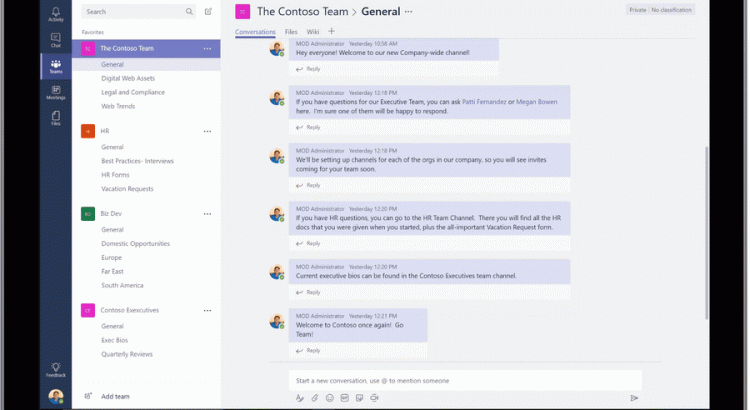
Microsoft Teams – Interactive Demo
Welcome to the Microsoft Teams Interactive Demo
Microsoft Teams is the hub for teamwork in Office 365. Jump in and experience how teams can achieve more together when all their chats, meetings, files and apps live in a single workspace.
In this interactive demo, you’ll first get a guided tour of Teams to understand the app and learn about key features. You’ll then try out some real actions and help a team make important decisions.
Journey to Success with Microsoft Teams
https://blogs.technet.microsoft.com/skypehybridguy/2017/10/24/journey-to-success-with-microsoft-teams
Communication sites- Hero WebPart Jigsaws
This blog shows how to quickly create a set of ‘jigsaw’ images to power the SharePoint Hero webpart to provide one image across the banner.
https://medium.com/@smcollier/hero-webpart-jigsaws-ad59f52deb91 by Steven Collier