

Here’s a look at what’s new in January.
Save your files to the cloud more easily – Microsoft Tech Community – 325133
…Create and save your Word, Excel, or PowerPoint document directly to the cloud. When you go to save an Office365 document using Ctrl+S (Windows), Cmd+S (macOS), or the Save button, the new dialog box will default to OneDrive or SharePoint Online. And if you forget to save a new document before exiting, you will also see this updated save experience.
Source: Save your files to the cloud more easily – Microsoft Tech Community – 325133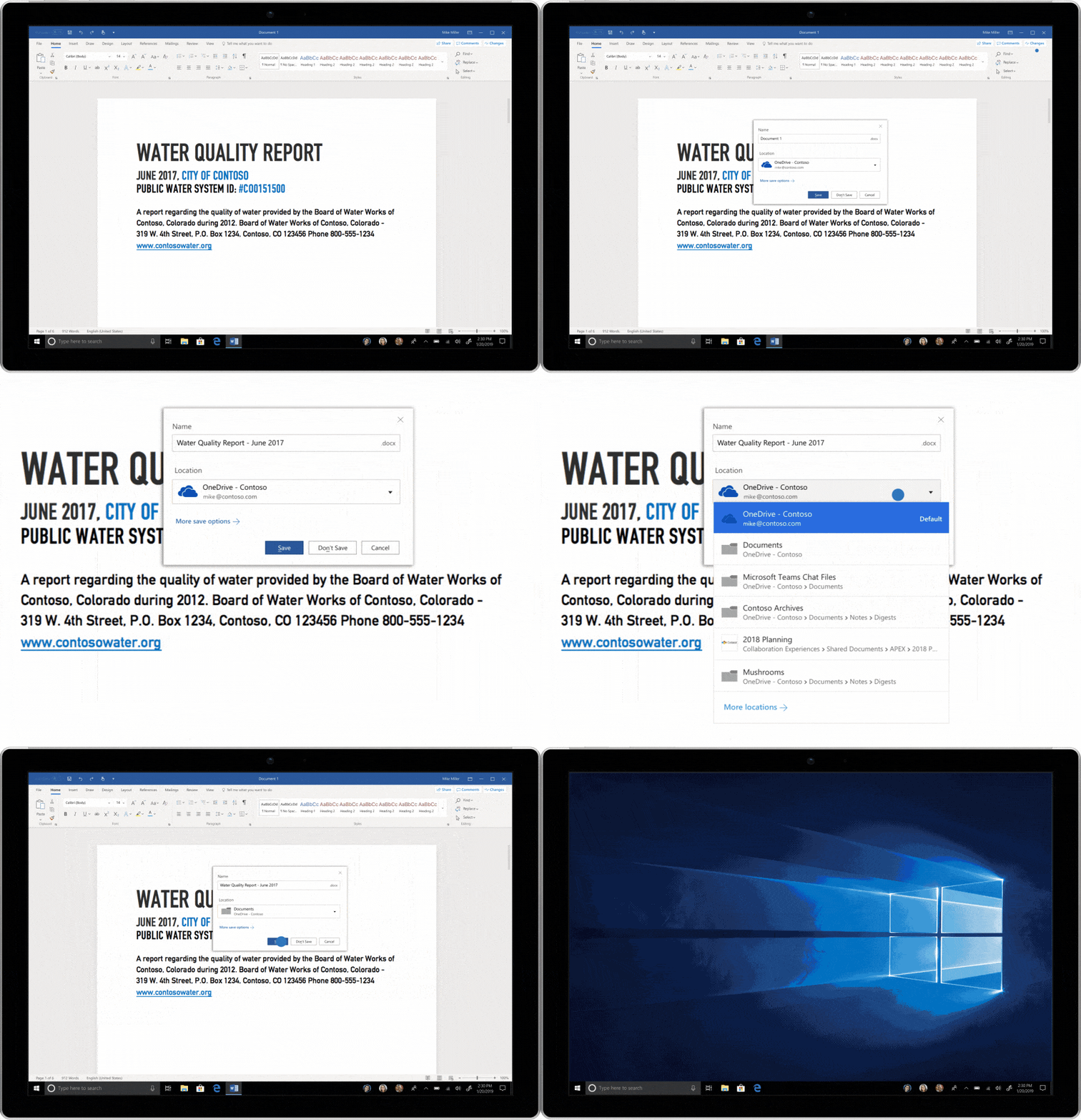
You can now create a new plan within an existing group – Microsoft Planner
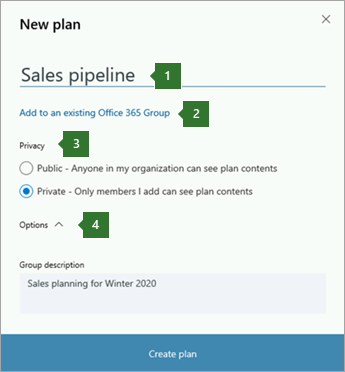
Choose a plan for one of your Office 365 Groups, or start a new one by choosing New plan.
Source: Create a plan in Microsoft Planner

January 2019 SharePoint Modernization News
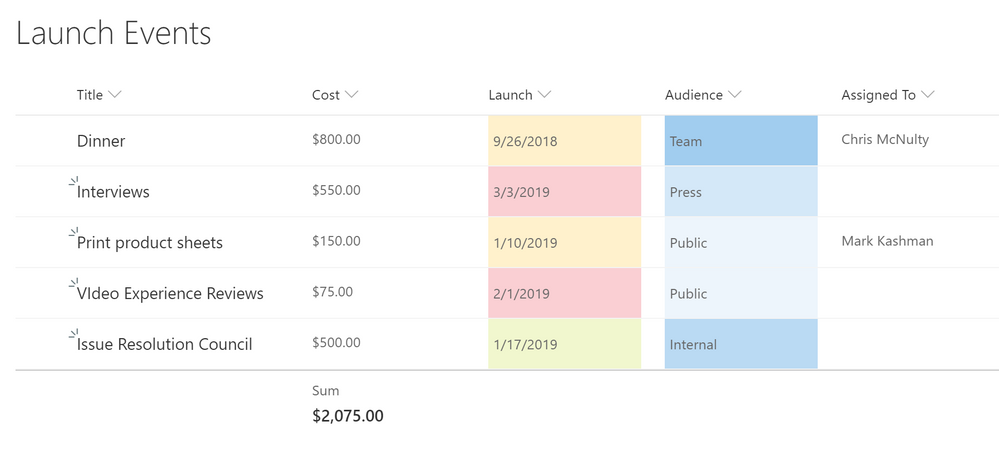
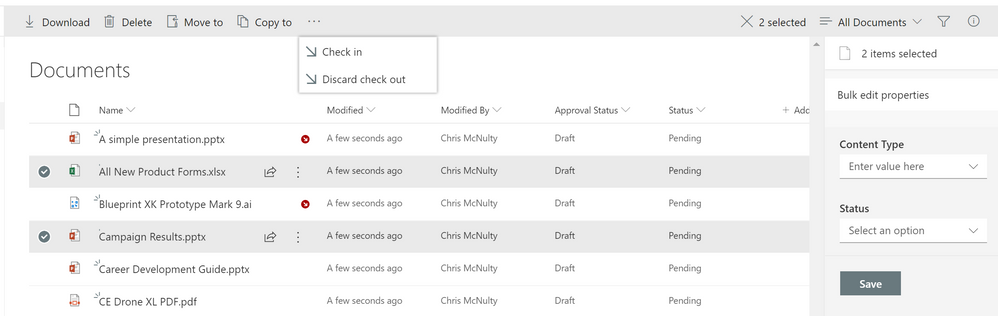
- Bulk check in/out
- Signals
- Column Totals
- Sticky Headers
- Column Drag and Drop
- Document sets

Easily embed secure Power BI reports in your internal portals or websites | Microsoft Power BI Blog | Microsoft Power BI
Power BI already has an easy way to embed Power BI reports into public websites with Publish to web and to secure SharePoint Online pages with the Power BI web part. However, embedding content into internal sites required advanced coding skills. Now, with the new secure Embed option, you can easily integrate your report with … Continue reading “Easily embed secure Power BI reports in your internal portals or websites”

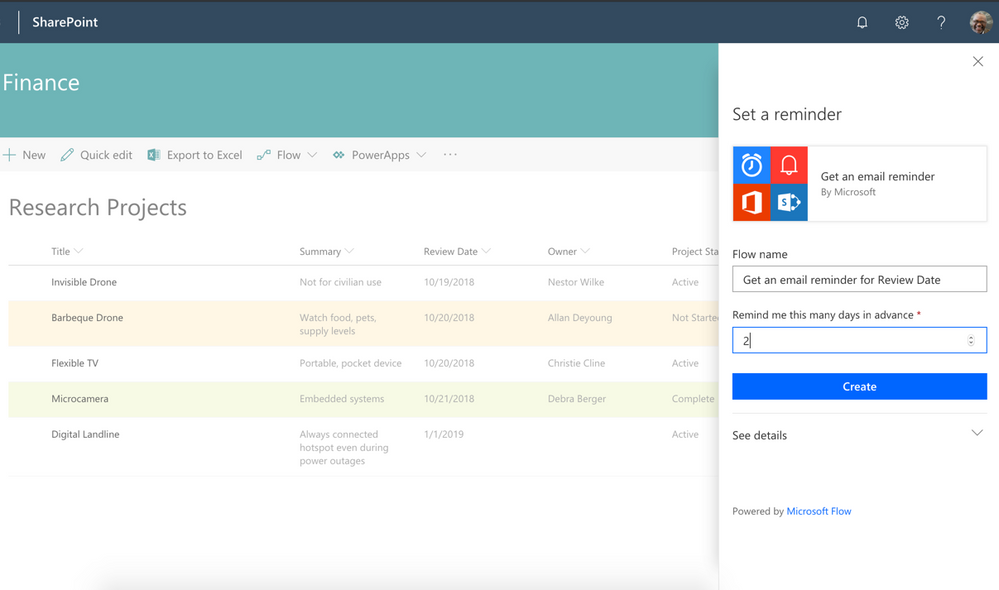
It’s time for reminders in SharePoint
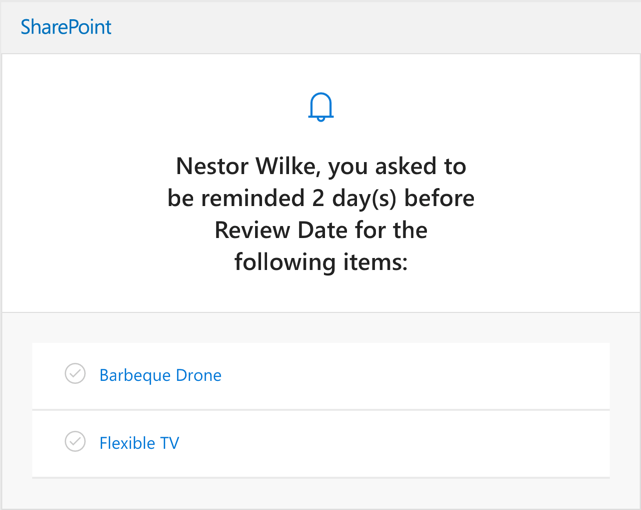
SharePoint lists and libraries have long allowed to you defined custom metadata columns to track dates. As announced at Ignite 2018, we are releasing a new capability that lets you set reminders for any of these dates. You’ll be able to receive a personal email alert ‘x’ days in advance of a date on any document or item in SharePoint.
Microsoft 365 update for December 2018 – YouTube
Jim Naroski covers recent enhancements to Microsoft 365 and Office 365. The course transcript, complete with all links mentioned, is available at https://aka.ms/m365update-blog.
This month’s topics:
PowerPoint captions and subtitles [0:21]
Word acronym suggestions [2:08]
PowerPoint slide reuse [2:48]
Office for MacOS Dark Mode [4:20]
Outlook for iOS redesign [5:40]
Microsoft Bookings improvements [7:40]
Password-less access management [9:06]
Restore your files with OneDrive
If lots of your OneDrive files get deleted, overwritten, corrupted, or infected by malware, you can restore your entire OneDrive to a previous time. Files Restore helps Office 365 subscribers undo all the actions that occurred on both files and folders within the last 30 days. Learn more at the OneDrive Help Center https://support.office.com/onedrive