Categorie: News



Roadmap Updates | Microsoft Ignite 2022
Roadmap Updates | Microsoft Ignite 2022—didn’t get a chance to attend Ignite this year? Tap in to the Microsoft Book of News; your comprehensive guide to all announcements and details you need on topics you are most interested in.
Introducing the Microsoft 365 Health dashboard: an easy way to view key health information – Microsoft Tech Community
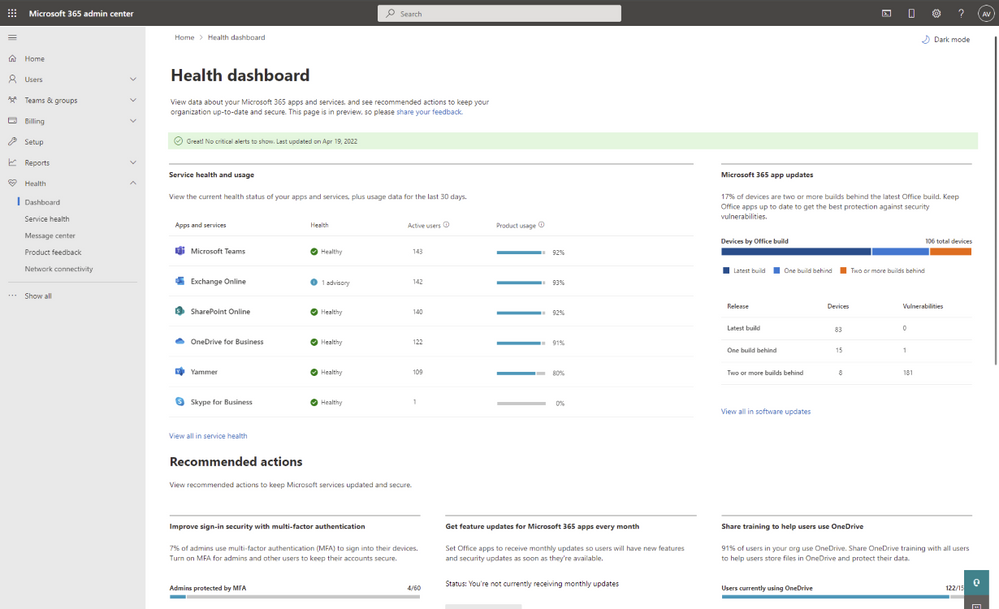
A new dashboard that pulls this information together, giving you an at-a-glance view of key health information.
Starting today, this new dashboard is now available in public preview! You can access it by logging into the Microsoft 365 admin center and visiting https://admin.microsoft.com/AdminPortal/Home?#/healthoverview.
Search notes, custom verticals and refiners
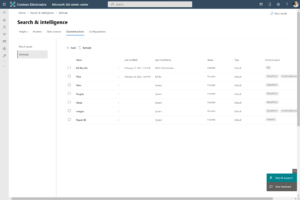
This week we shipped custom verticals and refiners on SharePoint content worldwide.
Search verticals only show results of a certain type or from certain content. Examples are Files or News. By default, Microsoft Search shows the verticals All, People, Files, Sites, and News. You can add search verticals that are relevant to your organization that represent content indexed with one or more Microsoft Graph … keep reading.
Vertical and filter customization on SharePoint content allows a Microsoft Search administrator to edit out-of-the-box search verticals, such as Files, Sites, News, etc., and create custom verticals on SharePoint content at the organization and site levels (tenant-scoped and site-scoped respectively).
For example, you can add an ‘Author’ filter to Files vertical to refine the results by one or more authors or a ‘Modified’ filter to the News vertical to refine the results by date created or modified and sort ascending or descending.
In the past, this level of customization has been limited to 3P verticals (verticals based on 3rd party data index-time merged with Microsoft Graph connectors).
With this new feature, you can create custom verticals based on SharePoint content (I.e. sites). Perhaps your organization is a legal firm, using custom verticals and filters with SharePoint content, you can create a dedicated search vertical where users can search by location, case type, retainers, etc.
In addition to creating these verticals and related filters, search administrators can also curate a vertical to narrow down results based on dynamic information such as location, user profile, etc., using query variables. Assuming the law firm in the above example is a MNC, a search administrator can use query variables to show results based on the users’ location from their user profile.
Reade more > Source: Bill Bär /bɛːr/

Sample Solution Gallery – Microsoft Adoption

Explore our sample gallery filled with solutions that integrate seamlessly to the Microsoft products you use the most.
The Social | Collab365 Academy
Cool Tool: Create a stunning profile picture for free
If you want to make a great looking profile picture (for free) then “Profile Picture Maker” is your new best friend. This little app not only removes the background but gives you a load of cool looking backgrounds ready for you to download.

Source: The Social | Collab365 Academy